
Windows
ZIP / 67 KBExtract the ZIP, then open Start Asashin.cmd.
SHA-256 checksum
45c63667af11f5da600bc9cc149ed1a72927f7980b5a2325a547b4b86e4b1fc6
BY TEXPLODER
Sharp tools.
One terminal.
Python 3.10+ · No account. No admin rights.
NEWTWO TOOLS. ZERO SWITCHING.02INCLUDED IN THE HUB
04/ 04 TOOLS
4 tools shown.
Hash UTF-8 text or stream a local file with SHA-256, SHA-512, SHA3-256 or BLAKE2b. Compare an expected checksum and export text or JSON. Everything stays local.
asashin run hash-lab --param text=abc --param
                    format=json
Send real HTTP(S) requests with custom methods, headers and bodies. Inspect status, timing, response headers and JSON. TLS verification stays on. Requests run only when you press Run; modifying methods can change the target.
asashin run api-workbench --describe
Inspect CPU, memory, disks, uptime, processes and local TCP/UDP connections. Filter connections by port. System visibility follows your account's permissions; no privilege elevation is requested.
asashin run system-lens --param view=connections --param
                    port=8080
Inventory a local project: file counts, extension-based languages, dependency-file locations and the largest files. Read-only, with bounded traversal and common build/dependency folders excluded.
asashin run workspace-inspector --param path=.
No tools match. Clear your search or switch back to All.
Real tools. No placeholders. Only run requests against systems you own or are authorized to test.
03STAY IN YOUR FLOW
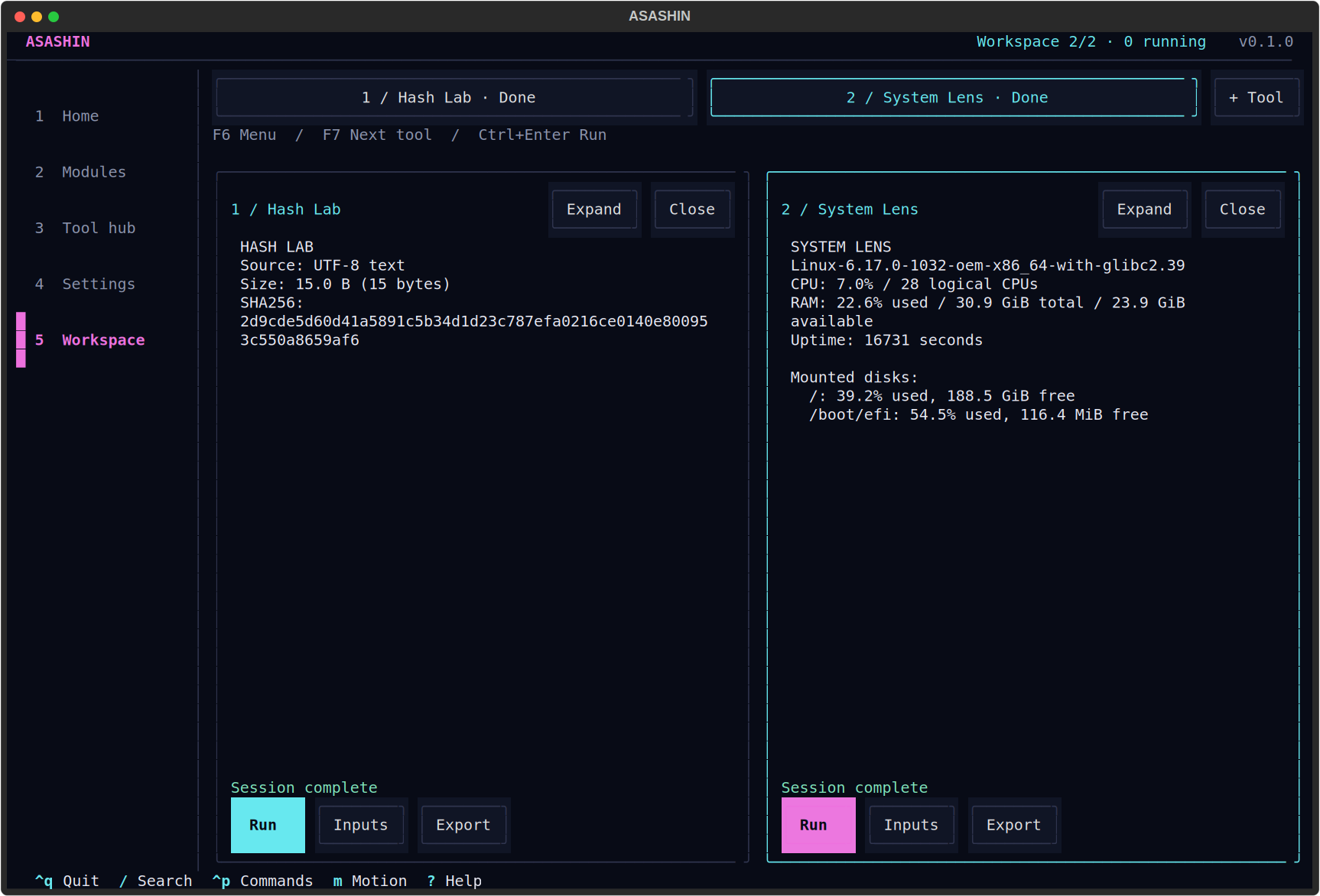
Not a web dashboard pretending to be a terminal.
A real
terminal workspace. Open two modules, run them independently, and
keep the menu within reach.
Python 3.10+ required. These are starter packages, not standalone executables. First launch creates a private environment and downloads dependencies from PyPI. No administrator rights needed.
05QUICK START
Keep the launcher and wheel in the same extracted folder. Setup happens once; later launches reuse the environment.
Need Python? Get it from python.org ↗Start Asashin.cmd. The first run installs
dependencies; the terminal hub starts after setup.
Prefer PowerShell? From the extracted folder:
.\"Start Asashin.cmd"
sh start-asashin.sh
The first launch downloads dependencies. No sudo or global pip install.
Download the Python wheel above. Create and activate a virtual environment, then run these commands in the wheel's folder:
python -m pip install
                  ./asashin_hub-0.1.0-py3-none-any.whl python -m
                  asashin
Compare the checksum with the one shown above. A matching hash verifies that the file matches this release.
PowerShell:
Get-FileHash .\asashin-0.1.0-windows.zip -Algorithm
                  SHA256
Linux:
sha256sum asashin-0.1.0-linux.tar.gz
06MAKE IT YOURS
Build a module in Python, or start with the included C++17 scaffold. A manifest describes its inputs; Asashin provides the form and runs it as an independent process.
Connect a trusted HTTPS registry in Settings to download additional modules. A public module marketplace is not included in this release.
asashin new my-tool --language cpp
Includes manifest, CMake project, C++ source and a Python launcher. CMake and a C++17 compiler are needed only to build your own native modules.
Get source & authoring docs